Abishek Muthian
Voice summary of news
There is a need gap for Human voice summary of news.
Until this need gap gets addressed, we can use automation tool like tasker to implement read-aloud feature for news app like inshorts.
Requirements
- Tasker android app.
- AutoInput android app.
- Selecting preferred voice in the Google Text-to-Speech Engine.
Tasker profile inshorts_read_aloud.prf.xml would fetch the news title and news text from the news card of the app and would automatically scroll to the next. Tasker profile inshorts_display.prf.xml would change the display timeout to 30 mins when the inshorts app is launched and would change the display timeout to 15 secs when the app is exited.
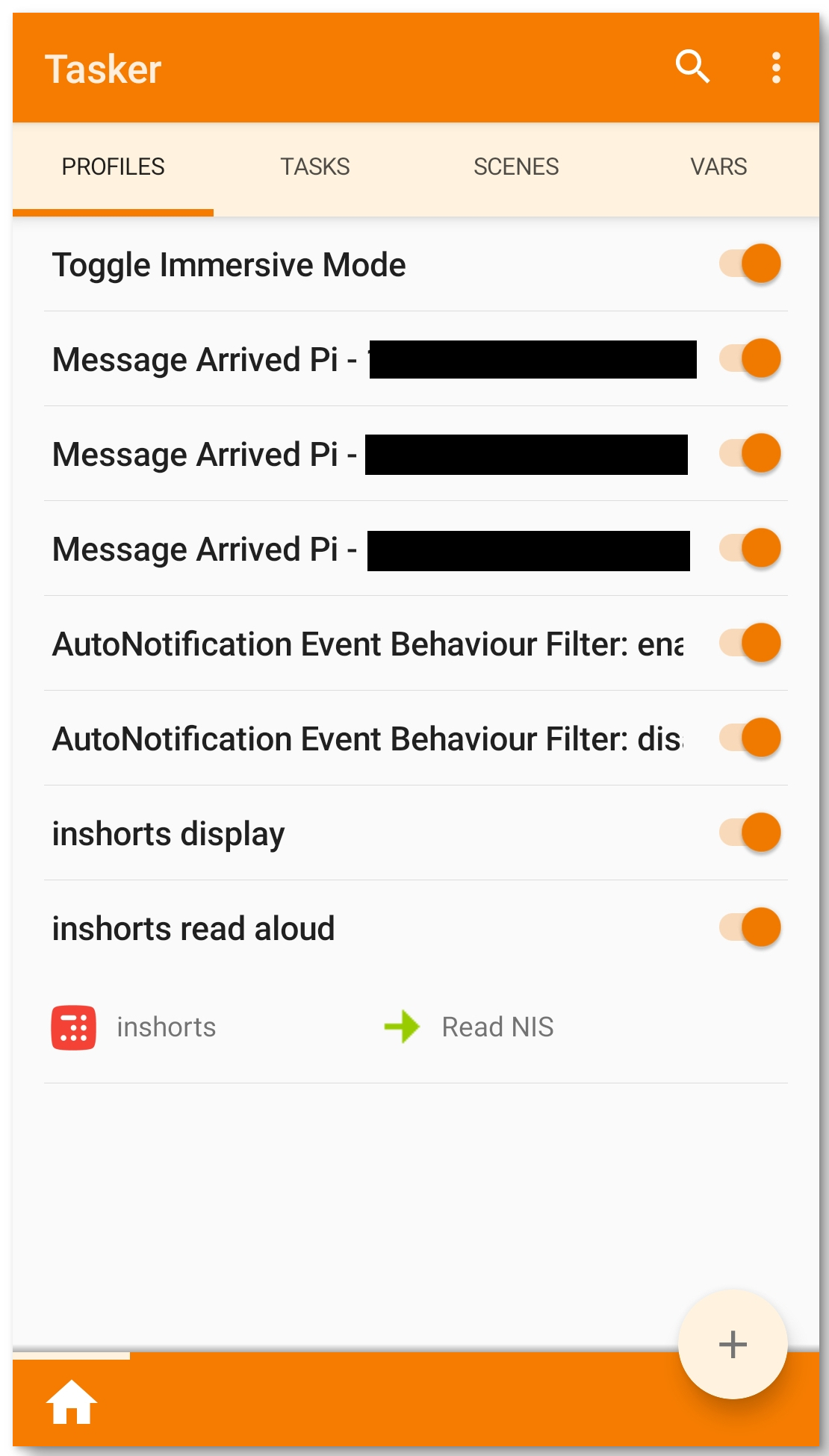
inshorts_display.prf.xml
<TaskerData sr="" dvi="1" tv="5.11.14">
	<Profile sr="prof28" ve="2">
		<cdate>1615003515868</cdate>
		<edate>1616131937187</edate>
		<flags>8</flags>
		<id>28</id>
		<mid0>27</mid0>
		<mid1>29</mid1>
		<nme>inshorts display</nme>
		<App sr="con0" ve="2">
			<cls0>com.nis.app.ui.activities.HomeActivity</cls0>
			<flags>2</flags>
			<label0>inshorts</label0>
			<pkg0>com.nis.app</pkg0>
		</App>
	</Profile>
	<Task sr="task27">
		<cdate>1615003470203</cdate>
		<edate>1615003713204</edate>
		<id>27</id>
		<nme>Display Timeout 30 Mins</nme>
		<Action sr="act0" ve="7">
			<code>812</code>
			<Int sr="arg0" val="0"/>
			<Int sr="arg1" val="30"/>
			<Int sr="arg2" val="0"/>
		</Action>
	</Task>
	<Task sr="task29">
		<cdate>1615009166842</cdate>
		<edate>1615009194275</edate>
		<id>29</id>
		<nme>Display Timeout 15 Secs</nme>
		<Action sr="act0" ve="7">
			<code>812</code>
			<Int sr="arg0" val="15"/>
			<Int sr="arg1" val="0"/>
			<Int sr="arg2" val="0"/>
		</Action>
	</Task>
</TaskerData>
inshorts_read_aloud.prf.xml
<TaskerData sr="" dvi="1" tv="5.11.14">
<Profile sr="prof25" ve="2">
<cdate>1614999485164</cdate>
<clp>true</clp>
<edate>1616131924070</edate>
<flags>8</flags>
<id>25</id>
<mid0>24</mid0>
<nme>inshorts read aloud</nme>
<App sr="con0" ve="2">
<cls0>com.nis.app.ui.activities.HomeActivity</cls0>
<flags>2</flags>
<label0>inshorts</label0>
<pkg0>com.nis.app</pkg0>
</App>
</Profile>
<Task sr="task24">
<cdate>1614998270704</cdate>
<edate>1615261711857</edate>
<id>24</id>
<nme>Read NIS</nme>
<pri>100</pri>
<Action sr="act0" ve="7">
<code>1040876951</code>
<Bundle sr="arg0">
<Vals sr="val">
<AppPackage>com.nis.app</AppPackage>
<AppPackage-type>java.lang.String</AppPackage-type>
<EnableDisableAccessibilityService><null></EnableDisableAccessibilityService>
<EnableDisableAccessibilityService-type>java.lang.String</EnableDisableAccessibilityService-type>
<IsFirstAction>false</IsFirstAction>
<IsFirstAction-type>java.lang.Boolean</IsFirstAction-type>
<OnlyClickable>false</OnlyClickable>
<OnlyClickable-type>java.lang.Boolean</OnlyClickable-type>
<OnlyVisible>true</OnlyVisible>
<OnlyVisible-type>java.lang.Boolean</OnlyVisible-type>
<Password><null></Password>
<Password-type>java.lang.String</Password-type>
<Regex>false</Regex>
<Regex-type>java.lang.Boolean</Regex-type>
<UIUpdateFields>com.nis.app:id/news_text=:=news_text,com.nis.app:id/news_title=:=news_title</UIUpdateFields>
<UIUpdateFields-type>java.lang.String</UIUpdateFields-type>
<UIUpdateText><null></UIUpdateText>
<UIUpdateText-type>java.lang.String</UIUpdateText-type>
<com.twofortyfouram.locale.intent.extra.BLURB>App Package: com.nis.app
Variables: news_text, news_title
Only Visible: true</com.twofortyfouram.locale.intent.extra.BLURB>
<com.twofortyfouram.locale.intent.extra.BLURB-type>java.lang.String</com.twofortyfouram.locale.intent.extra.BLURB-type>
<net.dinglisch.android.tasker.RELEVANT_VARIABLES><StringArray sr=""><_array_net.dinglisch.android.tasker.RELEVANT_VARIABLES0>%aiapp
App Name
</_array_net.dinglisch.android.tasker.RELEVANT_VARIABLES0><_array_net.dinglisch.android.tasker.RELEVANT_VARIABLES1>%aicoordinates()
Element Coordinates
List of coordinates in the x,y format</_array_net.dinglisch.android.tasker.RELEVANT_VARIABLES1><_array_net.dinglisch.android.tasker.RELEVANT_VARIABLES2>%aiid()
Element Ids
</_array_net.dinglisch.android.tasker.RELEVANT_VARIABLES2><_array_net.dinglisch.android.tasker.RELEVANT_VARIABLES3>%aipackage
App Package Name
</_array_net.dinglisch.android.tasker.RELEVANT_VARIABLES3><_array_net.dinglisch.android.tasker.RELEVANT_VARIABLES4>%aitext()
Element Texts
</_array_net.dinglisch.android.tasker.RELEVANT_VARIABLES4><_array_net.dinglisch.android.tasker.RELEVANT_VARIABLES5>%news_text
news_text
news_text</_array_net.dinglisch.android.tasker.RELEVANT_VARIABLES5><_array_net.dinglisch.android.tasker.RELEVANT_VARIABLES6>%news_title
news_title
news_title</_array_net.dinglisch.android.tasker.RELEVANT_VARIABLES6><_array_net.dinglisch.android.tasker.RELEVANT_VARIABLES7>%err
Error Code
Only available if you select &lt;b&gt;Continue Task After Error&lt;/b&gt; and the action ends in error</_array_net.dinglisch.android.tasker.RELEVANT_VARIABLES7><_array_net.dinglisch.android.tasker.RELEVANT_VARIABLES8>%errmsg
Error Message
Only available if you select &lt;b&gt;Continue Task After Error&lt;/b&gt; and the action ends in error</_array_net.dinglisch.android.tasker.RELEVANT_VARIABLES8></StringArray></net.dinglisch.android.tasker.RELEVANT_VARIABLES>
<net.dinglisch.android.tasker.RELEVANT_VARIABLES-type>[Ljava.lang.String;</net.dinglisch.android.tasker.RELEVANT_VARIABLES-type>
<net.dinglisch.android.tasker.extras.VARIABLE_REPLACE_KEYS>AppPackage UIUpdateFields plugininstanceid plugintypeid </net.dinglisch.android.tasker.extras.VARIABLE_REPLACE_KEYS>
<net.dinglisch.android.tasker.extras.VARIABLE_REPLACE_KEYS-type>java.lang.String</net.dinglisch.android.tasker.extras.VARIABLE_REPLACE_KEYS-type>
<net.dinglisch.android.tasker.subbundled>true</net.dinglisch.android.tasker.subbundled>
<net.dinglisch.android.tasker.subbundled-type>java.lang.Boolean</net.dinglisch.android.tasker.subbundled-type>
<plugininstanceid>bc037b7d-5c90-4df2-b6b8-8d4e8e4a5b19</plugininstanceid>
<plugininstanceid-type>java.lang.String</plugininstanceid-type>
<plugintypeid>com.joaomgcd.autoinput.intent.IntentUIQuery</plugintypeid>
<plugintypeid-type>java.lang.String</plugintypeid-type>
</Vals>
</Bundle>
<Str sr="arg1" ve="3">com.joaomgcd.autoinput</Str>
<Str sr="arg2" ve="3">com.joaomgcd.autoinput.activity.ActivityConfigUIQuery</Str>
<Int sr="arg3" val="20"/>
</Action>
<Action sr="act1" ve="7">
<code>559</code>
<Str sr="arg0" ve="3">%news_title, %news_text</Str>
<Str sr="arg1" ve="3">default:default</Str>
<Int sr="arg2" val="3"/>
<Int sr="arg3" val="5"/>
<Int sr="arg4" val="5"/>
<Int sr="arg5" val="1"/>
<Int sr="arg6" val="0"/>
<Int sr="arg7" val="0"/>
</Action>
<Action sr="act2" ve="7">
<code>1732635924</code>
<Bundle sr="arg0">
<Vals sr="val">
<ActionId>com.nis.app:id/news_card</ActionId>
<ActionId-type>java.lang.String</ActionId-type>
<ActionType>4096</ActionType>
<ActionType-type>java.lang.String</ActionType-type>
<EnableDisableAccessibilityService><null></EnableDisableAccessibilityService>
<EnableDisableAccessibilityService-type>java.lang.String</EnableDisableAccessibilityService-type>
<FieldSelectionType>1</FieldSelectionType>
<FieldSelectionType-type>java.lang.String</FieldSelectionType-type>
<IsFirstAction>false</IsFirstAction>
<IsFirstAction-type>java.lang.Boolean</IsFirstAction-type>
<IsTaskerAction>false</IsTaskerAction>
<IsTaskerAction-type>java.lang.Boolean</IsTaskerAction-type>
<NearbyText><null></NearbyText>
<NearbyText-type>java.lang.String</NearbyText-type>
<Password><null></Password>
<Password-type>java.lang.String</Password-type>
<RepeatInterval><null></RepeatInterval>
<RepeatInterval-type>java.lang.String</RepeatInterval-type>
<RepeatTimes><null></RepeatTimes>
<RepeatTimes-type>java.lang.String</RepeatTimes-type>
<StoredAction><null></StoredAction>
<StoredAction-type>java.lang.String</StoredAction-type>
<TextToWrite><null></TextToWrite>
<TextToWrite-type>java.lang.String</TextToWrite-type>
<com.twofortyfouram.locale.intent.extra.BLURB>Type: Id
Value: com.nis.app:id/news_card
Action : Scroll Forward</com.twofortyfouram.locale.intent.extra.BLURB>
<com.twofortyfouram.locale.intent.extra.BLURB-type>java.lang.String</com.twofortyfouram.locale.intent.extra.BLURB-type>
<net.dinglisch.android.tasker.RELEVANT_VARIABLES><StringArray sr=""><_array_net.dinglisch.android.tasker.RELEVANT_VARIABLES0>%err
Error Code
Only available if you select &lt;b&gt;Continue Task After Error&lt;/b&gt; and the action ends in error</_array_net.dinglisch.android.tasker.RELEVANT_VARIABLES0><_array_net.dinglisch.android.tasker.RELEVANT_VARIABLES1>%errmsg
Error Message
Only available if you select &lt;b&gt;Continue Task After Error&lt;/b&gt; and the action ends in error</_array_net.dinglisch.android.tasker.RELEVANT_VARIABLES1></StringArray></net.dinglisch.android.tasker.RELEVANT_VARIABLES>
<net.dinglisch.android.tasker.RELEVANT_VARIABLES-type>[Ljava.lang.String;</net.dinglisch.android.tasker.RELEVANT_VARIABLES-type>
<net.dinglisch.android.tasker.extras.VARIABLE_REPLACE_KEYS>ActionId FieldSelectionType ActionType plugininstanceid plugintypeid </net.dinglisch.android.tasker.extras.VARIABLE_REPLACE_KEYS>
<net.dinglisch.android.tasker.extras.VARIABLE_REPLACE_KEYS-type>java.lang.String</net.dinglisch.android.tasker.extras.VARIABLE_REPLACE_KEYS-type>
<net.dinglisch.android.tasker.subbundled>true</net.dinglisch.android.tasker.subbundled>
<net.dinglisch.android.tasker.subbundled-type>java.lang.Boolean</net.dinglisch.android.tasker.subbundled-type>
<plugininstanceid>9e6828e1-5e20-4081-b0a1-e4d468802fa0</plugininstanceid>
<plugininstanceid-type>java.lang.String</plugininstanceid-type>
<plugintypeid>com.joaomgcd.autoinput.intent.IntentPerformAction</plugintypeid>
<plugintypeid-type>java.lang.String</plugintypeid-type>
</Vals>
</Bundle>
<Str sr="arg1" ve="3">com.joaomgcd.autoinput</Str>
<Str sr="arg2" ve="3">com.joaomgcd.autoinput.activity.ActivityConfigPerformAction</Str>
<Int sr="arg3" val="23"/>
</Action>
<Action sr="act3" ve="7">
<code>135</code>
<Int sr="arg0" val="0"/>
<Int sr="arg1" val="1"/>
<Str sr="arg2" ve="3"/>
</Action>
</Task>
</TaskerData>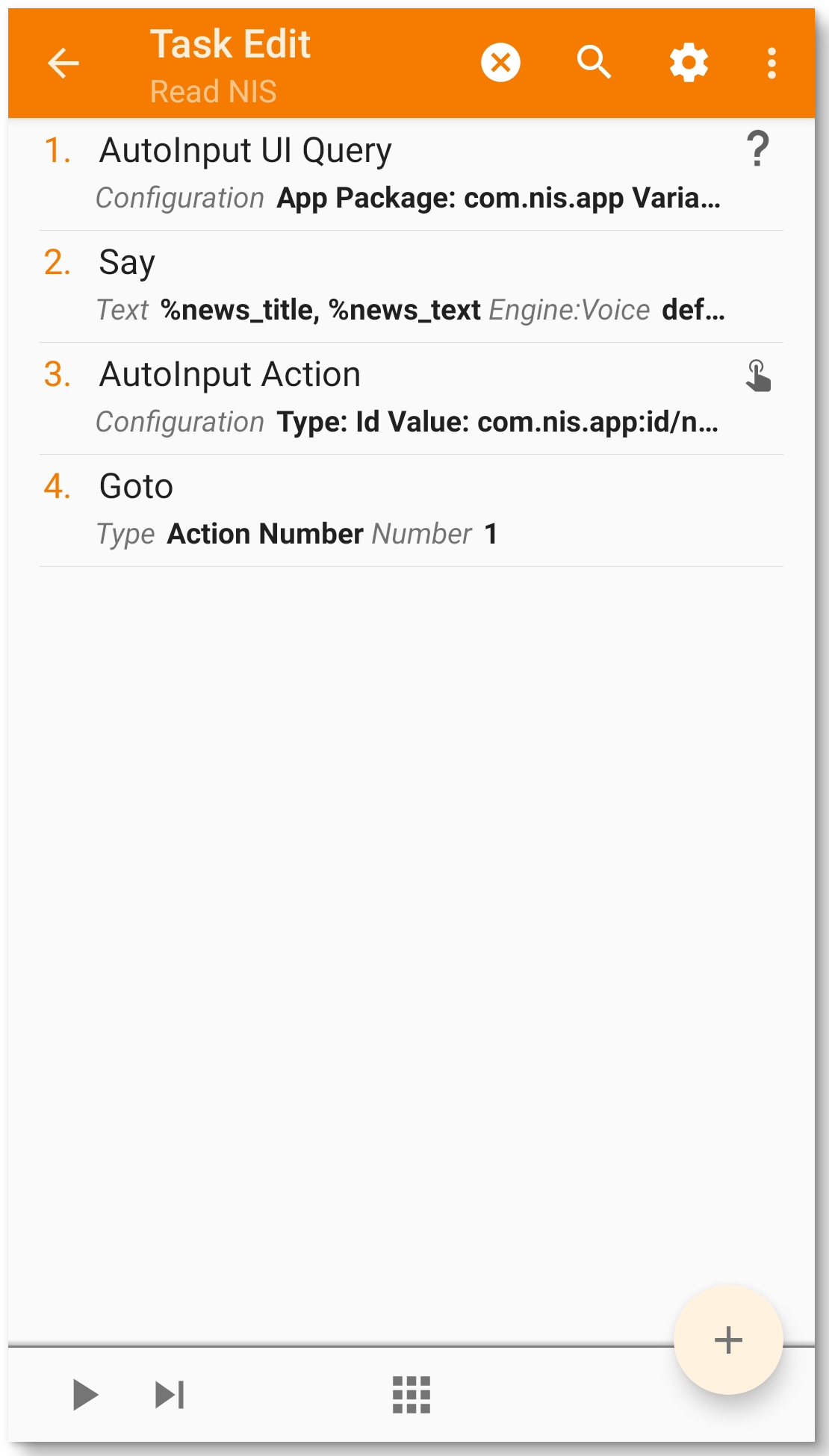
Demonstration
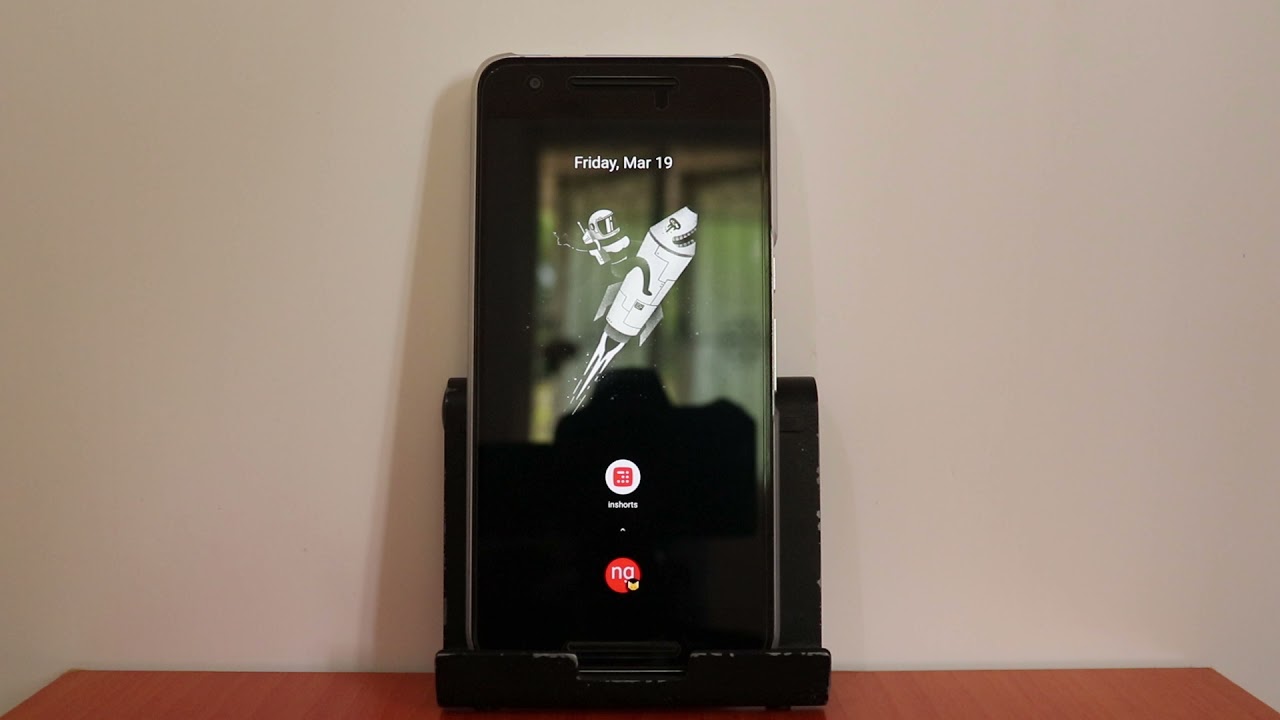
This should be the result when the tasker profiles do their job.
Video
Discussion
Discuss this with me on Twitter.